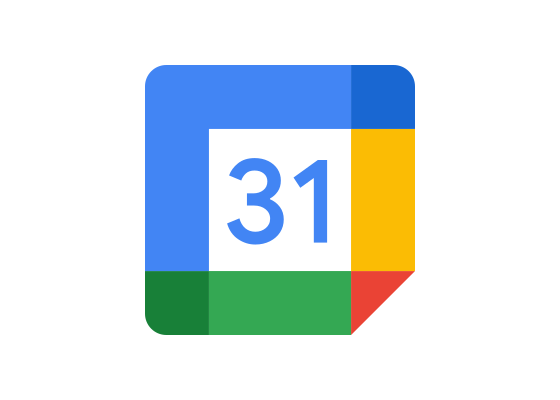
Google Calendar features a colorful grid icon using Google’s signature blue, red, yellow, and green palette, representing the time-management and scheduling service launched in 2006.
Meaning and Symbolism
- Four-color palette employs Google’s signature brand colors, creating instant recognition
- Grid structure directly represents calendar format and date organization
- Color-coded sections suggest the app’s ability to organize different calendar types
- Geometric simplicity aligns with Google’s Material Design principles
- Bright, vibrant colors convey energy and productivity appropriate for scheduling tools
History and Evolution
Google Calendar launched in beta release on April 13, 2006, achieving general release in July 2009 on web and mobile platforms for Android and iOS. The service enables users to create and edit events with customizable reminders, location information, and guest invitations. Over time, Google added machine learning features including Events from Gmail, which automatically imports event information from messages, and Reminders for to-do activities that update with new information.
The 2020 logo redesign adopted Google’s refined Material Design aesthetic, emphasizing the calendar grid structure while maintaining the four-color system that unifies Google’s product family. Smart Suggestions recommend titles, contacts, and locations when creating events, while Goals helps users schedule personal objectives at optimal times. The app integrates special calendars including Birthdays, which retrieves dates from Google contacts, and country-specific Holidays calendars, demonstrating Google’s ecosystem approach to productivity tools.
Typography and Design
The Calendar icon uses a simplified grid structure rendered in Google’s signature blue, red, yellow, and green colors. Each quadrant features a different color, suggesting the app’s ability to manage multiple calendars simultaneously. The geometric design follows Material Design principles with clean lines and bold colors that ensure visibility across devices. When paired with the Calendar wordmark, the design uses Google’s Product Sans typeface, maintaining consistency across the company’s product suite. The icon functions effectively at various sizes from app icons to web interfaces, with the color-coded grid remaining recognizable even at small dimensions.
Frequently Asked Questions
Who designed the Google Calendar logo? The logo was designed by Google’s internal design team as part of the company’s Material Design system, though specific individual designers have not been publicly credited.
When was the Google Calendar logo last updated? The logo received its most recent significant update in 2020 as part of Google’s effort to unify and modernize its product design language across services.
What do the colors in the Google Calendar logo represent? The blue, red, yellow, and green colors are Google’s signature brand palette, creating instant recognition while the four-quadrant design suggests the ability to manage multiple calendar types and categories.
More logos with similar colors