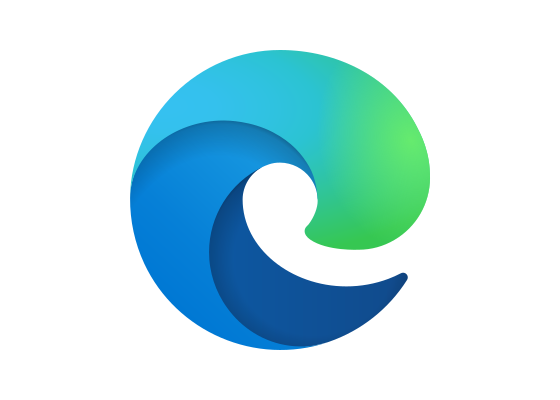
The Microsoft Edge logo features a dynamic wave that transitions from blue to teal to green, representing the browser’s 2019 reinvention on Chromium and Microsoft’s fresh approach to web standards.
Meaning and Symbolism
- The flowing wave symbolizes speed, fluidity, and forward motion through the web, replacing the static “e” of Internet Explorer
- The blue-to-green gradient represents transformation and progress, signaling Microsoft’s shift from proprietary EdgeHTML to open-source Chromium
- The dynamic curve suggests an “edge” or cutting surface moving through space, reinforcing the brand name
- Multiple shades of blue and cyan connect to Microsoft’s brand family while establishing distinct visual identity
- The modern abstract form distances Edge from Internet Explorer’s legacy and positions the browser as contemporary and performance-focused
History and Evolution
Microsoft Edge launched in 2015 with Windows 10 as a replacement for Internet Explorer, initially using Microsoft’s proprietary EdgeHTML engine. The original logo featured a stylized “e” wave in blue, maintaining some visual continuity with IE while signaling new technology. However, Edge struggled to gain market share against Chrome, Firefox, and Safari, and developers complained about EdgeHTML compatibility issues.
In December 2018, Microsoft announced a dramatic pivot, rebuilding Edge on Google’s open-source Chromium engine. Pentagram’s Scott Baker designed a new logo for the Chromium-based browser, replacing the “e” reference with a more abstract wave that conveyed transformation. The 2019 redesign introduced the distinctive blue-to-green gradient, symbolizing Microsoft’s embrace of web standards and cross-platform availability. The new Edge launched publicly on January 15, 2020, with versions for Windows, macOS, iOS, Android, and later Linux, representing Microsoft’s commitment to browser technology after years of declining IE market share.
Typography and Design
The Microsoft Edge wordmark uses a clean, modern sans-serif that aligns with Microsoft’s broader Fluent Design System. The typography avoids referencing the past, presenting Edge as a contemporary product rather than an evolution of Internet Explorer. The logo’s abstract wave icon works independently of the wordmark, functioning effectively as an app icon across devices and platforms while maintaining immediate recognition through its distinctive gradient.
Frequently Asked Questions
Who designed the Microsoft Edge logo? Scott Baker at Pentagram designed the 2019 Microsoft Edge logo for the Chromium-based browser relaunch, creating the distinctive blue-to-green wave identity.
When was the Microsoft Edge logo last updated? The current logo debuted in 2019 alongside the Chromium-based Edge rebuild and has remained consistent since the public launch in January 2020.
What do the colors in the Microsoft Edge logo represent? The blue-to-green gradient symbolizes transformation and forward progress, representing Microsoft’s shift to Chromium and commitment to modern web standards and cross-platform availability.
More logos with similar colors