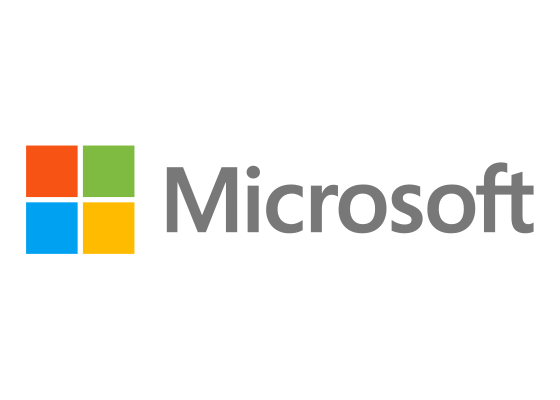
The Microsoft logo features four colored squares arranged in a window formation, representing the company’s flagship Windows operating system and its suite of productivity software. Introduced in 2012, the design replaced two decades of italic typography with a bold, geometric mark that balances simplicity with instant product recognition.
Microsoft Corporation is an American multinational technology company headquartered in Redmond, Washington. Founded by Bill Gates and Paul Allen in 1975, it develops, manufactures, licenses, and supports computer software, consumer electronics, and related services. The company’s products include the Windows operating system, Office productivity suite, Azure cloud platform, Xbox gaming consoles, and Surface devices. With over 220,000 employees worldwide, Microsoft is one of the most valuable technology companies and has shaped how billions of people work, communicate, and play.
The current logo, designed by Pentagram, pairs the four-color window symbol with the Microsoft wordmark in Segoe UI. The window represents both the Windows operating system and the metaphor of opening possibilities. Each colored square corresponds to a product family: blue for Windows and Office, green for Xbox, yellow for Outlook and Bing, and red for PowerPoint. This color-coding creates a visual vocabulary that extends across Microsoft’s entire brand ecosystem.
Meaning and Symbolism
- Four-square window: Represents the Windows operating system while suggesting looking through a window to see possibilities
- Blue square: Symbolizes Windows and Office, the productivity foundation of Microsoft’s business
- Green square: Represents Xbox gaming and environmental initiatives
- Yellow square: Connects to Outlook, Bing, and optimistic innovation
- Red square: Ties to PowerPoint and the passion for empowering users
Design and History
Microsoft’s visual identity has evolved dramatically since 1975, reflecting the company’s transformation from scrappy startup to global technology leader. The original logo, designed by Simon Daniels in 1975, spelled “Micro-Soft” with a distinctive disco-era aesthetic featuring groovy rounded letterforms. This early identity was playful and experimental, appropriate for two young entrepreneurs building software for the Altair 8800.
By 1980, Microsoft had adopted what became known as the “Blibbet” logo, featuring the company name with a stylized “O” that included horizontal lines resembling magnetic tape or a CD. Employees loved this quirky detail so much that when the company updated the logo in 1987, staff members launched petitions to save the Blibbet. Despite the protests, Microsoft moved forward with Scott Baker’s design: bold Helvetica Italic letters with an angled cut between the “o” and “s” that became known as the “Pac-Man logo.” This version emphasized motion and speed, perfectly capturing Microsoft’s aggressive expansion during the Windows 95 era.
For 25 years, that italic wordmark represented Microsoft. It was everywhere: on software boxes, in television commercials, inside millions of PCs. But by 2012, the logo felt dated. Microsoft was no longer just a software company. It was building tablets, phones, gaming consoles, and cloud infrastructure. The company needed an identity that worked across physical and digital products, that felt contemporary rather than nostalgic.
Pentagram’s 2012 redesign eliminated the italic slant, choosing instead the clean, modern Segoe UI typeface that Microsoft already used in Windows. The bigger change was the addition of the four-square window symbol. It was both obvious (Windows is Microsoft’s most recognized product) and strategic (the window metaphor extends to all of Microsoft’s platforms). The design communicated that Microsoft was still rooted in its Windows heritage while looking forward to a multi-device, cloud-connected future.
Typography
The Microsoft wordmark uses Segoe UI, a humanist sans-serif typeface designed by Steve Matteson and released in 2004. Microsoft commissioned Segoe specifically for interface typography, and it became the system font for Windows Vista, Windows 7, Windows 8, Windows 10, and Windows 11. The choice to use Segoe in the logo created consistency between the brand mark and the user interface, reinforcing Microsoft’s design language across every touchpoint.
FAQ
Q: Why did Microsoft change its logo in 2012? A: The company needed an identity that worked across its expanding portfolio of hardware, software, and cloud services. The four-square window symbol unified diverse products under a single visual system while honoring Microsoft’s Windows heritage.
Q: What do the four colors in the Microsoft logo represent? A: Blue represents Windows and Office, green symbolizes Xbox, yellow connects to Outlook and Bing, and red ties to PowerPoint. Each color corresponds to a major product family within Microsoft’s ecosystem.
Q: Who designed the current Microsoft logo? A: Pentagram created the 2012 logo, which features the four-square window symbol and Segoe UI wordmark. Jason Wells led the design work internally at Microsoft.
More logos with similar colors