Skip to Content
    Support us
    A-Z Agency Colors Country Designer Industry Tags Year Trending Reports
    VisualEditor internet United States blue greenUSA US America AmericaninternetUnited Statesbluegreen

    VisualEditor

    • Logo
    • United States
    • Internet
    • VisualEditor

    VisualEditor Logo

    Explore the iconic VisualEditor logo – its design, history, and visual identity.
    Trending Popular
    VisualEditor logo - free SVG vector, internet brand from United States

    VisualEditor Brand Colors

    Browse more logos with blue and green colors.

    VisualEditor Brand Facts

    Key information about VisualEditor: origin, designer, industry, and logo introduction year.

    Websitemediawiki.org
    CountryUnited States
    IndustryInternet
    Download VisualEditor logo Embed VisualEditor logo
    views · downloads this week
    4.2 (14 ratings)

    Explore the VisualEditor brand, discover VisualEditor colors, and download the VisualEditor vector logo in SVG or PNG formats. Browse related logos and logos with similar colors.

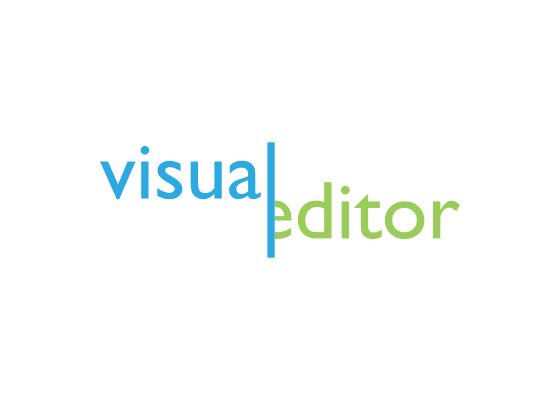
    The VisualEditor logo combines bright blue and green letterforms to represent the dual nature of its WYSIWYG editing interface, bridging visual design and underlying code for MediaWiki users.

    Meaning and Symbolism

    • Bright blue represents technology, precision, and the digital editing environment
    • Lime green suggests growth, creativity, and the organic nature of content creation
    • Two-tone color scheme symbolizes the bridge between visual editing and wiki markup
    • Modern sans-serif typography reflects the contemporary approach to wiki editing
    • Vibrant colors distinguish VisualEditor from Wikipedia’s traditional monochrome interface

    History and Evolution

    VisualEditor emerged from a 2011 Wikimedia Foundation initiative to make Wikipedia editing more accessible to non-technical users. Developed in partnership with Wikia, the project aimed to replace Wikipedia’s intimidating markup language with an intuitive visual interface similar to modern word processors. The tool launched in July 2013 on several major Wikipedia projects, representing what the Wikimedia Foundation called its most challenging technical project to date.

    The rollout proved controversial among existing Wikipedia editors who preferred traditional markup editing. English Wikipedia switched VisualEditor from opt-out to opt-in in September 2013 following user complaints, though it returned to default status in October 2015 after further development. A 2015 study found that VisualEditor failed to provide anticipated benefits for new editors, highlighting the complexity of changing established wiki culture. The logo’s bright, modern aesthetic represents the tool’s ambitious goal of democratizing wiki editing.

    Typography and Design

    The VisualEditor wordmark employs a clean geometric sans-serif with the two-word name rendered in complementary blue and green. The bright color palette creates visual energy while maintaining legibility in MediaWiki’s interface. The design reflects contemporary software branding with its emphasis on clarity and approachability over the encyclopedic gravitas of Wikipedia’s traditional aesthetic.

    Frequently Asked Questions

    Who designed the VisualEditor logo? The logo was created by the Wikimedia Foundation’s design team during the tool’s development between 2011 and 2013, though specific designers have not been publicly credited.

    When was the VisualEditor logo last updated? The logo has remained largely unchanged since the tool’s 2013 public launch, maintaining its distinctive blue and green color scheme throughout its evolution.

    What do the colors in the VisualEditor logo represent? The blue represents technical precision and digital tools, while the green symbolizes creative content growth, together expressing the balance between structured editing and organic knowledge creation.


    More Internet logos from United States

    Etsy logo vector - free SVG download

    Etsy

    Internet
    The Muse logo vector - free SVG download

    The Muse

    Internet
    Kickstarter logo vector - free SVG download

    Kickstarter

    Internet
    Flickr logo vector - free SVG download

    Flickr

    Internet
    Superhuman logo vector - free SVG download

    Superhuman

    Internet
    SeekOut logo vector - free SVG download

    SeekOut

    Internet
    Name logo vector - free SVG download

    Name

    Internet
    Kagi logo vector - free SVG download

    Kagi

    Internet

    More logos with similar colors

    Clarivate logo vector - free SVG download

    Clarivate

    Software
    Edge logo vector - free SVG download

    Edge

    Crypto
    Designhill logo vector - free SVG download

    Designhill

    Retail
    Wistron logo vector - free SVG download

    Wistron

    Manufacturing
    Buribaevsky GOK logo vector - free SVG download

    Buribaevsky GOK

    Manufacturing
    Houston Fertility Specialists logo vector - free SVG download

    Houston Fertility Specialists

    Healthcare
    Zymeworks logo vector - free SVG download

    Zymeworks

    Technology
    Geneco logo vector - free SVG download

    Geneco

    Energy
    Weoja logo vector - free SVG download

    Weoja

    Internet
    Pellucid logo vector - free SVG download

    Pellucid

    Software
    Ivoclar Vivadent logo vector - free SVG download

    Ivoclar Vivadent

    Healthcare
    Gelsenwasser logo vector - free SVG download

    Gelsenwasser

    Energy

    The "VisualEditor" appears in: Digital Logos , North America Logos , Online Services Logos , Technology Logos , Internet Logos and Text Editor Logos .

    Frequently asked questions about the VisualEditor logo

    The VisualEditor logo represents a internet brand from United States. Learn more on the official VisualEditor website.

    Why is the VisualEditor logo in SVG format?
    The VisualEditor logo is provided as an SVG (Scalable Vector Graphics) file because vectors offer unlimited scaling without pixelation, smaller file sizes than raster images, and are ideal for responsive web design. SVG logos work perfectly across all screen sizes — from mobile devices to billboard prints — maintaining crisp edges at any resolution.
    Should I use SVG or PNG for the VisualEditor logo?
    Use SVG for websites, apps, and any digital design requiring scalability. SVG files are resolution-independent and load faster. Use PNG (converted from SVG at 300 DPI) for presentations, printed materials, or software that doesn’t support SVG. Convert using Adobe Illustrator, Inkscape, Affinity Designer, or online tools like CloudConvert. Export at 300 DPI for print, 72-150 DPI for web.
    What software can open the VisualEditor SVG logo?
    The VisualEditor SVG logo opens in both code editors (VS Code, Sublime Text, Notepad++) and graphic design software (Figma, Adobe Illustrator, Affinity Designer, Sketch, Inkscape). Modern web browsers can also display SVG files directly. For quick edits, online editors like SVGEdit or Method Draw work without installing software.
    What font does the VisualEditor logo use?
    Many professional brands, including VisualEditor, use custom-designed typefaces for their logos to ensure unique brand identity and trademark protection. If the VisualEditor logo uses a custom font, no exact public version may exist. For similar typography, analyze the logo’s letter characteristics (serif vs sans-serif, weight, spacing) and search font databases like WhatTheFont, Identifont, or MyFonts for close alternatives.
    What is a Logo or Logotype?
    A logo is a graphic mark, emblem, or symbol used to aid public identification and recognition. Logos fall into three classifications: ideographs (abstract forms), pictographs (iconic designs), and logotypes/wordmarks (text-based). The logo is central to a brand’s visual identity system.
    Can I use the VisualEditor logo legally?
    The VisualEditor logo is a registered trademark and cannot be used commercially without explicit written permission from VisualEditor. This website provides the logo for educational, informational, and reference purposes only. For commercial projects, partnerships, or official brand assets, contact VisualEditor’s communications or legal department directly.
    Where can I find VisualEditor brand guidelines?
    Official VisualEditor brand guidelines typically include logo usage rules, color codes, typography, spacing requirements, and prohibited modifications. Check the VisualEditor website for a “Brand,” “Press,” “Media Kit,” or “Resources” section. Official assets are also available through press kits and authorized partner portals.
    Do I need to credit logotyp.us when using the VisualEditor logo?
    No attribution to logotyp.us is required. However, the VisualEditor logo itself is trademarked intellectual property — using it requires permission from VisualEditor, regardless of where you downloaded it. This site serves as a reference library; downloading a logo here does not grant usage rights.

    Report Outdated Logo

    logotyp.us

    Download high-quality vector logos in SVG format — free for designers, developers, and brand enthusiasts. Browse 4,700+ brand logos by industry, country, color, and designer.

    Help Keep This Free Logos and Brands
    Browse
    • Logos by Industry
    • Logos by Country
    • Logos by Color
    • Logos by Designer
    • A–Z Logo Index
    Discover
    • Popular Logos
    • Search Logos
    • Logo Reports
    Top Countries
    • United States
    • United Kingdom
    • Global
    • Japan
    • Germany
    • Canada
    • France
    • India
    • Sweden
    • Spain
    • Italy
    • Australia
    • Switzerland
    • Netherlands
    • China
    • View All Countries →

    © 2026 logotyp.us. All logos are trademarks of their respective owners.

    Build 0307-1037