Skip to Content
    Support us
    A-Z Agency Colors Country Designer Industry Tags Year Trending Reports
    VS Code software United States blue whiteUSA US America AmericansoftwareUnited Statesbluewhite

    Visual Studio Code

    • Logo
    • United States
    • Software
    • VS Code

    VS Code Logo

    Explore the iconic VS Code logo – its design, history, and visual identity.

    Trending Popular
    VS Code logo - free SVG vector, software brand from United States

    VS Code Brand Colors

    Browse more logos with blue and white colors.

    VS Code Brand Facts

    Key information about VS Code: origin, designer, industry, and logo introduction year.

    Websitecode.visualstudio.com
    DesignerScott Baker
    AgencyPentagram
    CountryUnited States
    IndustrySoftware
    Download VS Code logo Embed VS Code logo
    views · downloads this week
    4.4 (25 ratings)

    Explore the VS Code brand, discover VS Code colors, and download the VS Code vector logo in SVG or PNG formats. Browse related logos and logos with similar colors.

    Microsoft Logos

    Arkane logo vector - free SVG download

    Arkane

    Entertainment
    Mixer logo vector - free SVG download

    Mixer

    Social Media
    C-sharp logo vector - free SVG download

    C-sharp

    Software
    Microsoft logo vector - free SVG download

    Microsoft

    Technology
    Microsoft Edge logo vector - free SVG download

    Microsoft Edge

    Software
    GitHub logo vector - free SVG download

    GitHub

    Internet
    Office logo vector - free SVG download

    Office

    Software
    Blizzard logo vector - free SVG download

    Blizzard

    Entertainment
    Bing logo vector - free SVG download

    Bing

    Internet
    Kinect logo vector - free SVG download

    Kinect

    Entertainment
    Microsoft Word logo vector - free SVG download

    Microsoft Word

    Software
    Windows Defender logo vector - free SVG download

    Windows Defender

    Software
    Xamarin logo vector - free SVG download

    Xamarin

    Software
    Internet Explorer logo vector - free SVG download

    Internet Explorer

    Software
    LinkedIn logo vector - free SVG download

    LinkedIn

    Social Media
    Groove logo vector - free SVG download

    Groove

    Entertainment
    Microsoft Teams logo vector - free SVG download

    Microsoft Teams

    Software
    Activision logo vector - free SVG download

    Activision

    Entertainment
    Havok logo vector - free SVG download

    Havok

    Entertainment
    Power BI logo vector - free SVG download

    Power BI

    Software
    Zune logo vector - free SVG download

    Zune

    Electronics
    NuGet logo vector - free SVG download

    NuGet

    Software
    Yammer logo vector - free SVG download

    Yammer

    Internet
    TypeScript logo vector - free SVG download

    TypeScript

    Software
    Skype logo vector - free SVG download

    Skype

    Software
    Office Forms logo vector - free SVG download

    Office Forms

    Software
    Xbox Game Studios logo vector - free SVG download

    Xbox Game Studios

    Entertainment
    Microsoft Powerpoint logo vector - free SVG download

    Microsoft Powerpoint

    Software
    Microsoft Excel logo vector - free SVG download

    Microsoft Excel

    Software
    Edge logo vector - free SVG download

    Edge

    Crypto
    Obsidian logo vector - free SVG download

    Obsidian

    Entertainment
    Azure logo vector - free SVG download

    Azure

    Software
    Microsoft Outlook logo vector - free SVG download

    Microsoft Outlook

    Software
    Microsoft Onenote logo vector - free SVG download

    Microsoft Onenote

    Software
    Sway logo vector - free SVG download

    Sway

    Software

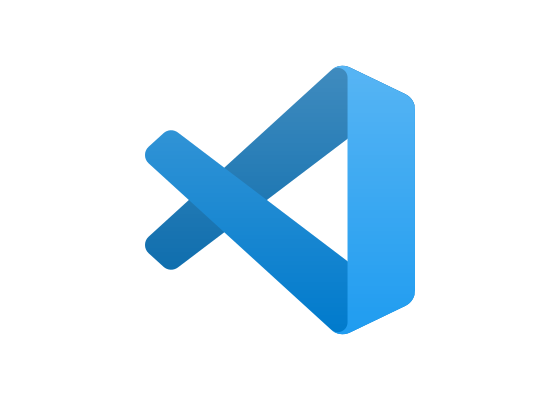
    The VS Code logo features a stylized infinity-inspired symbol in multiple blue gradients (#0065a9, #007acc, #1f9cf0) that suggests continuous development workflows and extensibility.

    The logo’s abstract symbol creates a distinctive silhouette that stands apart from traditional code editor icons. The flowing ribbon-like form suggests fluidity and infinite possibility, while the geometric angles reference brackets and code syntax. The blue gradient palette conveys technical professionalism and Microsoft’s broader design language without directly copying other Microsoft product marks. The symbol’s three-dimensional appearance adds depth and movement, preventing the icon from feeling static or dated.

    Designed by Pentagram’s Scott Baker, the mark balances approachability with technical credibility. The icon’s strong contrast and bold shapes ensure recognition at 16-pixel favicon sizes, while the gradient treatment provides visual interest at larger scales. The design deliberately avoids literal representations of code or text editing, instead focusing on conceptual meanings like connectivity, workflow, and developer productivity. This abstraction helps VS Code maintain relevance as the editor evolves beyond text manipulation into integrated development environments with debugging, Git workflows, and extension ecosystems.

    Meaning and Symbolism

    • Infinity-inspired form: Represents continuous development cycles, iterative workflows, and the open-source community’s perpetual evolution
    • Blue gradient (#0065a9 to #1f9cf0): Conveys technical professionalism and Microsoft heritage without constraining VS Code to corporate identity
    • Ribbon-like structure: Suggests extensibility through plugins and the interconnected nature of modern development tools
    • Angular geometry: References code syntax elements like brackets while maintaining abstract, timeless appeal

    Design and History

    Microsoft released Visual Studio Code in 2015 as a lightweight, cross-platform alternative to the full Visual Studio IDE. Pentagram designed the current logo to distinguish VS Code from Microsoft’s heavier development tools while maintaining subtle family resemblance. Scott Baker led the project, creating an icon that would work across Windows, macOS, and Linux without favoring any platform’s design conventions.

    The logo represented a strategic departure from Microsoft’s traditional literal icons. Rather than depicting a computer screen or text cursor, the design focused on conceptual meanings relevant to modern developers: continuous integration, modular extensions, and cross-platform workflows. This abstraction proved crucial as VS Code rapidly gained adoption, becoming the most popular developer tool in Stack Overflow’s 2019 survey with 50.7% usage among 87,000+ respondents.

    The mark has remained unchanged since launch, a rarity in software branding. This consistency reflects VS Code’s stable identity even as features expanded dramatically through monthly updates and a massive extension marketplace. The logo’s durability demonstrates Pentagram’s success in creating a future-proof symbol that could grow with the product.

    Typography

    When the VS Code wordmark appears alongside the icon, it uses a clean sans-serif typeface that complements Microsoft’s broader design language. The letterforms feature consistent stroke weights and geometric construction, ensuring legibility in developer-focused contexts like terminal windows and command palettes. The spacing between “VS” and “Code” creates clear separation, preventing the mark from being confused with “VSCode” as a single word. This typographic approach reinforces the product’s professional positioning while remaining approachable for developers transitioning from other editors.

    FAQ

    Q: What does the VS Code infinity symbol represent? A: The ribbon-like form suggests continuous development workflows, iterative coding cycles, and infinite extensibility through the plugin ecosystem. The symbol also references interconnected tools and the seamless flow developers experience with integrated Git, debugging, and terminal features.

    Q: Who designed the Visual Studio Code logo? A: Pentagram partner Scott Baker designed the logo when Microsoft launched VS Code in 2015. The abstract symbol was created to distinguish the lightweight editor from Microsoft’s full Visual Studio IDE while maintaining subtle brand family resemblance.

    Q: Why does VS Code use blue instead of Microsoft’s traditional colors? A: The blue palette (#0065a9, #007acc, #1f9cf0) provides technical credibility and subtle Microsoft heritage without constraining VS Code to corporate branding. The gradient treatment adds dimension while ensuring the icon remains recognizable across Windows, macOS, and Linux platforms.


    Pentagram Agency Logos:

    Mastercard Maestro logo vector - free SVG download

    Mastercard Maestro

    Banking and Finance
    GitHub logo vector - free SVG download

    GitHub

    Internet
    Mixer logo vector - free SVG download

    Mixer

    Social Media
    21st Century Fox logo vector - free SVG download

    21st Century Fox

    Entertainment
    Havok logo vector - free SVG download

    Havok

    Entertainment
    Redhat logo vector - free SVG download

    Redhat

    Software
    Skype logo vector - free SVG download

    Skype

    Software
    Sway logo vector - free SVG download

    Sway

    Software
    Zune logo vector - free SVG download

    Zune

    Electronics
    Microsoft Edge logo vector - free SVG download

    Microsoft Edge

    Software
    LinkedIn logo vector - free SVG download

    LinkedIn

    Social Media
    ICA logo vector - free SVG download

    ICA

    Art

    More Software logos from United States

    Mattermost logo vector - free SVG download

    Mattermost

    Software
    UXCam logo vector - free SVG download

    UXCam

    Software
    Ansible logo vector - free SVG download

    Ansible

    Software
    Paylocity logo vector - free SVG download

    Paylocity

    Software
    Pega logo vector - free SVG download

    Pega

    Software
    Jetpack logo vector - free SVG download

    Jetpack

    Software
    Consensys logo vector - free SVG download

    Consensys

    Software
    WOW page logo vector - free SVG download

    WOW page

    Software

    More logos with similar colors
    TVNET logo vector - free SVG download

    TVNET

    News
    Tryp logo vector - free SVG download

    Tryp

    Hospitality
    Hodd logo vector - free SVG download

    Hodd

    Sports
    Google Earth logo vector - free SVG download

    Google Earth

    Internet
    Colossal Order logo vector - free SVG download

    Colossal Order

    Entertainment
    DNC logo vector - free SVG download

    DNC

    Politics
    Nexus logo vector - free SVG download

    Nexus

    Crypto
    Epicentric logo vector - free SVG download

    Epicentric

    Software
    NCAA logo vector - free SVG download

    NCAA

    Sports
    Comstar logo vector - free SVG download

    Comstar

    Telecom
    The Sandbox logo vector - free SVG download

    The Sandbox

    Crypto
    eCash logo vector - free SVG download

    eCash

    Crypto

    The "Visual Studio Code" appears in: Digital Solutions Logos , Innovation Logos , North America Logos , Technology Logos and Software Logos .

    Frequently asked questions about the VS Code logo

    The Visual Studio Code logo represents a software brand from United States by Scott Baker at Pentagram. Learn more on the official VS Code website.

    Why is the VS Code logo in SVG format?
    The VS Code logo is provided as an SVG (Scalable Vector Graphics) file because vectors offer unlimited scaling without pixelation, smaller file sizes than raster images, and are ideal for responsive web design. SVG logos work perfectly across all screen sizes — from mobile devices to billboard prints — maintaining crisp edges at any resolution.
    Should I use SVG or PNG for the VS Code logo?
    Use SVG for websites, apps, and any digital design requiring scalability. SVG files are resolution-independent and load faster. Use PNG (converted from SVG at 300 DPI) for presentations, printed materials, or software that doesn’t support SVG. Convert using Adobe Illustrator, Inkscape, Affinity Designer, or online tools like CloudConvert. Export at 300 DPI for print, 72-150 DPI for web.
    What software can open the VS Code SVG logo?
    The VS Code SVG logo opens in both code editors (VS Code, Sublime Text, Notepad++) and graphic design software (Figma, Adobe Illustrator, Affinity Designer, Sketch, Inkscape). Modern web browsers can also display SVG files directly. For quick edits, online editors like SVGEdit or Method Draw work without installing software.
    What font does the VS Code logo use?
    Many professional brands, including VS Code, use custom-designed typefaces for their logos to ensure unique brand identity and trademark protection. If the VS Code logo uses a custom font, no exact public version may exist. For similar typography, analyze the logo’s letter characteristics (serif vs sans-serif, weight, spacing) and search font databases like WhatTheFont, Identifont, or MyFonts for close alternatives.
    What is a Logo or Logotype?
    A logo is a graphic mark, emblem, or symbol used to aid public identification and recognition. Logos fall into three classifications: ideographs (abstract forms), pictographs (iconic designs), and logotypes/wordmarks (text-based). The logo is central to a brand’s visual identity system.
    Can I use the VS Code logo legally?
    The VS Code logo is a registered trademark and cannot be used commercially without explicit written permission from VS Code. This website provides the logo for educational, informational, and reference purposes only. For commercial projects, partnerships, or official brand assets, contact VS Code’s communications or legal department directly.
    Where can I find VS Code brand guidelines?
    Official VS Code brand guidelines typically include logo usage rules, color codes, typography, spacing requirements, and prohibited modifications. Check the VS Code website for a “Brand,” “Press,” “Media Kit,” or “Resources” section. Official assets are also available through press kits and authorized partner portals.
    Do I need to credit logotyp.us when using the VS Code logo?
    No attribution to logotyp.us is required. However, the VS Code logo itself is trademarked intellectual property — using it requires permission from VS Code, regardless of where you downloaded it. This site serves as a reference library; downloading a logo here does not grant usage rights.

    Report Outdated Logo

    logotyp.us

    Download high-quality vector logos in SVG format — free for designers, developers, and brand enthusiasts. Browse 4,700+ brand logos by industry, country, color, and designer.

    Help Keep This Free Logos and Brands
    Browse
    • Logos by Industry
    • Logos by Country
    • Logos by Color
    • Logos by Designer
    • A–Z Logo Index
    Discover
    • Popular Logos
    • Search Logos
    • Logo Reports
    Top Countries
    • United States
    • United Kingdom
    • Global
    • Japan
    • Germany
    • Canada
    • France
    • India
    • Sweden
    • Spain
    • Italy
    • Australia
    • Switzerland
    • Netherlands
    • China
    • View All Countries →

    © 2026 logotyp.us. All logos are trademarks of their respective owners.

    Build 0307-1037